.png)
Resuming a Draft Shipment
Resuming a Saved Draft Shipment
If a shipment doesn't finish (for example, if getting rates fails), it's saved as a draft so you can pick up where you left off.
1. Go to Shipments > Drafts.
Click Shipments in the left sidebar, then open Drafts to see any shipments that didn't get completed.
2. Resume a draft.
Click into a draft to resume it. Your previously entered information will still be there, so you can fix the issue and continue.
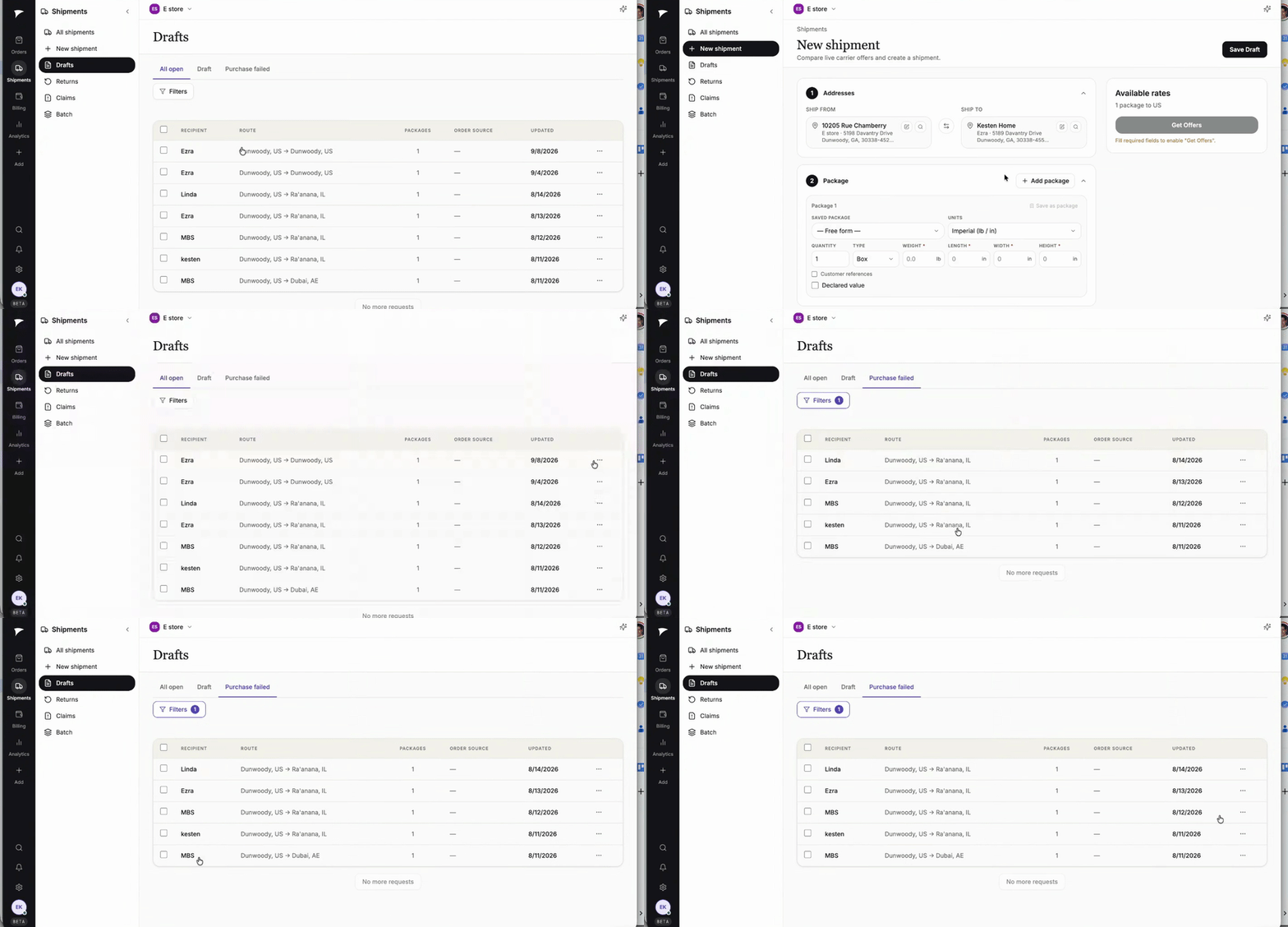
Resuming a saved draft from the Drafts list.
Good to know
- You can select and delete drafts you no longer need from the Drafts list.