.png)
Sending your first shipment
Shipping
How to Send Your First Shipment
Once your wallet is funded, you're ready to ship. Shippiz automatically compares rates across all major carriers in real time and selects the best price for every label - no guesswork needed.
Quick summary: Enter your shipment details (from/to address and package info), let Shippiz rate-shop across every connected carrier, then confirm and print. The lowest available rate is selected automatically.
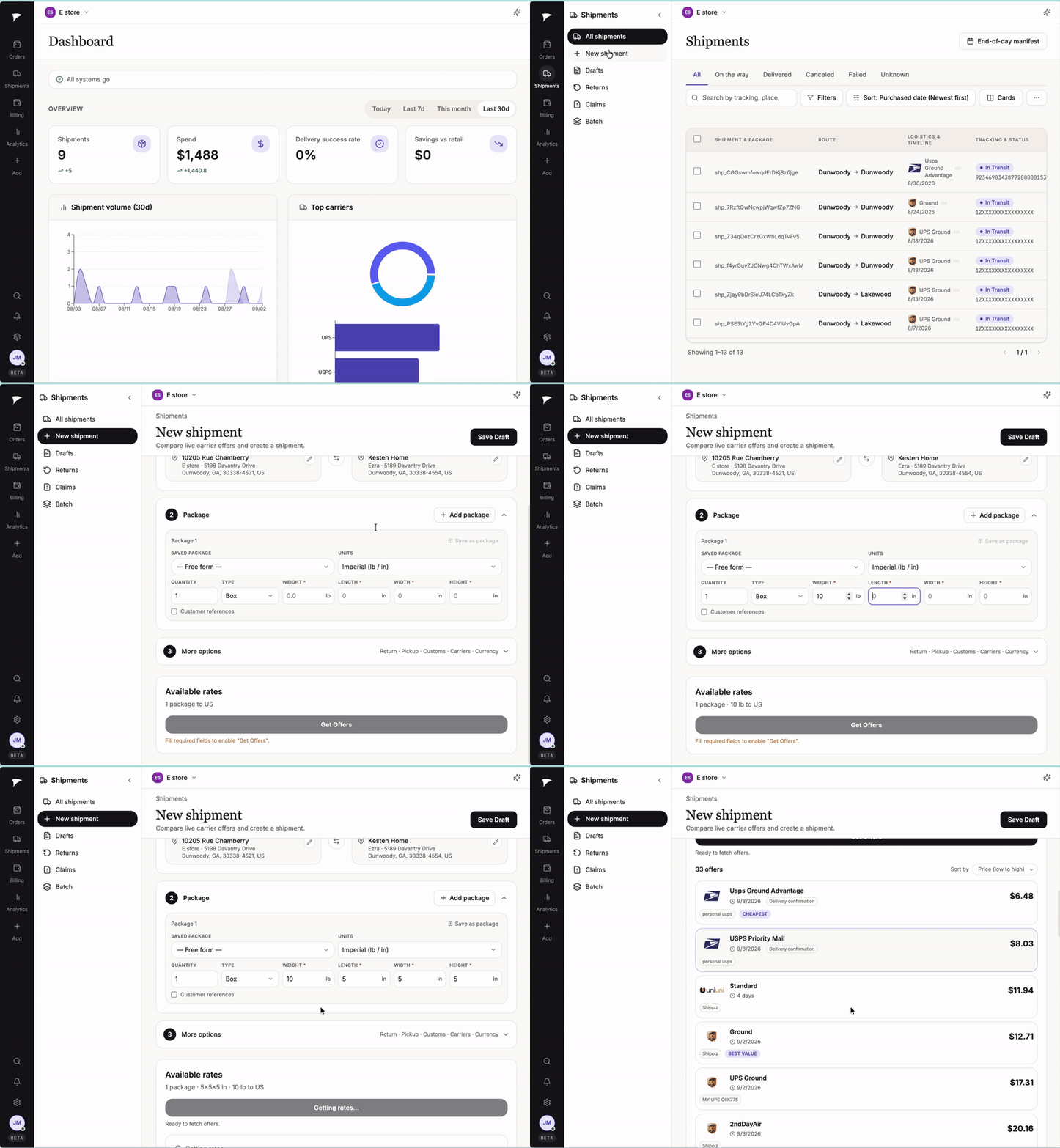
From order to label in seconds.
Step-by-step
- From the dashboard, start a New Shipment.
- Enter (or confirm, if the order synced in automatically) the ship-from and ship-to addresses.
- Enter your package details - weight and dimensions. If you've saved a custom box size, just select it from the list instead of re-entering measurements.
- Shippiz rate-shops your shipment across every carrier connected to your account in real time and shows you the options side by side.
- Review the recommended rate (automatically the lowest available) or choose a different carrier if you prefer.
- Click Buy Label. The cost is deducted from your wallet balance and your label is ready to print immediately.
Tip: Ship the same size packages often? Save your box dimensions once under Settings → Shipping Setup so you never have to re-enter them - just select your saved box and go.
Have your own negotiated rates with a carrier like UPS or FedEx? Connect that account under Settings → Shipping Setup and Shippiz will automatically compare your rates against ours, using whichever is cheaper. There's no extra cost and no lock-in.